


You can keep your smart home safe by using good Electrical Safety habits every day. Many homes have dangers like old wiring, too many things plugged into one strip, and outlets without covers. Some people leave appliances plugged in close to water or use bulbs with the wrong wattage. You can stop these risks by adding smart sensors, cameras, and locks. These devices help you find problems quickly and keep your family safe. Try smart plugs or motion lights to make your home safer.
Old or bad wiring
Appliances close to water
Bulbs with wrong wattage
Too many things in one outlet
Outlets without covers
Unsafe extension cords
Broken appliances
Key Takeaways
Check your wiring and devices often to find problems early. Watch for things like lights that flicker or outlets that feel warm.
Use AFCI and RCD outlets to stop fires and shocks. These devices are very important for smart home safety.
Put in smart smoke and heat sensors. They warn you about danger even if you are not home. This helps stop fires.
Do not plug too many devices into one outlet. Too many devices can make outlets hot and cause fires.
Keep your smart home network safe with strong passwords. Update your devices often. This keeps hackers and electrical dangers away.
Common Electrical Hazards
Overloaded Circuits
It is easy to plug in too many things. You may not notice when you do this. Overloaded circuits can get very hot. They might even start a fire. Smart homes use lots of gadgets. This makes the risk higher. Look at the table below. It shows how overloaded circuits can cause problems:
|
Source |
Evidence |
|---|---|
|
Preventing Home Electrical Fires |
Overloading circuits can make them overheat. This can start fires and burn things nearby. |
|
Is My Home at Risk of an Electrical Fire? |
Too many devices in one outlet can make it overheat. This can cause a fire. |
|
The Dangers of Overloaded Outlets |
More than 5,000 house fires happen every year from overloaded outlets. This shows how dangerous it is to use too much power. |
If you want to be safer, use smart plugs. These can watch how much energy you use. They can warn you if things get risky.
Faulty Wiring
Bad wiring is a big danger in smart homes. Old wires or loose connections can shock you. They can also start fires. Watch for these warning signs:
Circuit breakers trip often
Lights flicker or get dim
Wires look frayed or chewed
Outlets look burned or discolored
Outlets feel warm or shake
You smell something burning
If you see any of these, stop using the outlet. Call an electrician right away. Keeping your wires safe is very important.
Tip: Check your outlets and cords every month. A quick check can help you find problems early.
Device Failures
Smart devices help you every day. But sometimes they break or get too hot. Some can even spark. About half of electrical fires come from devices or appliances. So you need to watch your smart gadgets.
Unplug devices when you are not using them
Replace devices that are broken or old
Use smart sensors to check for heat or smoke
Paying attention helps you stay safe. It keeps your home protected.
Electrical Safety Devices
AFCI and RCD Protection
You want your smart home to be safe from fires and shocks. Two important devices help you do this: AFCI breakers and RCDs. AFCI stands for Arc Fault Circuit Interrupter. It stops fires by cutting off power when it senses dangerous sparks or arcs. RCD means Residual Current Device. It protects you from electric shocks by shutting off the circuit if it detects a leak of current.
Here's a quick look at how these devices work:
|
Device Type |
Primary Function |
Effectiveness in Fire Prevention |
Effectiveness in Shock Prevention |
|---|---|---|---|
|
AFCI |
Stops fires from arcing wires |
High |
Low |
|
RCD/GFCI |
Stops electric shocks |
Low |
High |
You should install both AFCI and RCD devices for the best Electrical Safety. AFCIs keep your home safe from hidden wiring problems. RCDs protect you and your family from shocks, especially in rooms with water.
Tip: Young children are much more sensitive to electric shocks than adults. RCDs with a 10mA threshold offer better protection for kids. Standard RCDs for adults use a 30mA threshold.
There are different types of RCDs. Type-A gives basic shock protection and covers less than 60% of home circuits. Type-B offers advanced protection and works well with modern smart devices. If you want the best safety, choose a smart panel like the Basis smart panel. It can sense even small shocks that regular RCDs might miss.
|
RCD Type |
Description |
Coverage |
|---|---|---|
|
Type-A |
Basic electric shock protection, standard since 1956. |
Less than 60% of circuits in most homes. |
|
Type-B |
Advanced protection for a wider range of current types, ideal for modern appliances. |
Recommended for all circuits, but often not affordable for homeowners. |
When you pick AFCI and RCD devices, look for ones that meet the latest safety standards. Ask a licensed electrician to install them. This step gives you peace of mind and keeps your smart home safe.
Voltage Regulators
Voltage regulators help your smart home run smoothly. They keep the voltage steady, so your devices do not get damaged by sudden changes. If the voltage goes too high or too low, your appliances can wear out faster or even break.
Here's why you should use voltage regulators:
They protect your smart devices and appliances from power surges.
They help you save energy and lower your bills.
They make your home more eco-friendly by reducing waste.
They give you peace of mind, knowing your electronics are safe.
They work well with solar panels and other green energy sources.
You can find voltage regulators that plug into outlets or connect to your main electrical panel. Choose one that matches the size of your home and the number of devices you use. If you have many smart gadgets, a whole-house voltage regulator is a good idea.
Note: Voltage regulators are easy to use and do not need much upkeep. Just check them once in a while to make sure they work right.
Grounded Outlets
Grounded outlets are a must for Electrical Safety in any smart home. These outlets have three holes. The third hole is for grounding. It sends extra electricity safely into the ground if something goes wrong. This design helps stop shocks and fires.
Grounded outlets are very important in places with water, like kitchens and bathrooms. They also protect you when you plug in smart lights or other gadgets. Many new outlets have tamper-resistant features. These keep kids from sticking things into the holes.
Safety Alert: If your home has old two-prong outlets, upgrade them to grounded outlets. This simple change can make your home much safer.
Ask an electrician to check your outlets. They can tell you which ones need an upgrade. Always use grounded outlets for your smart devices. This step helps you avoid shocks and keeps your family safe.
Smart Technology for Safety
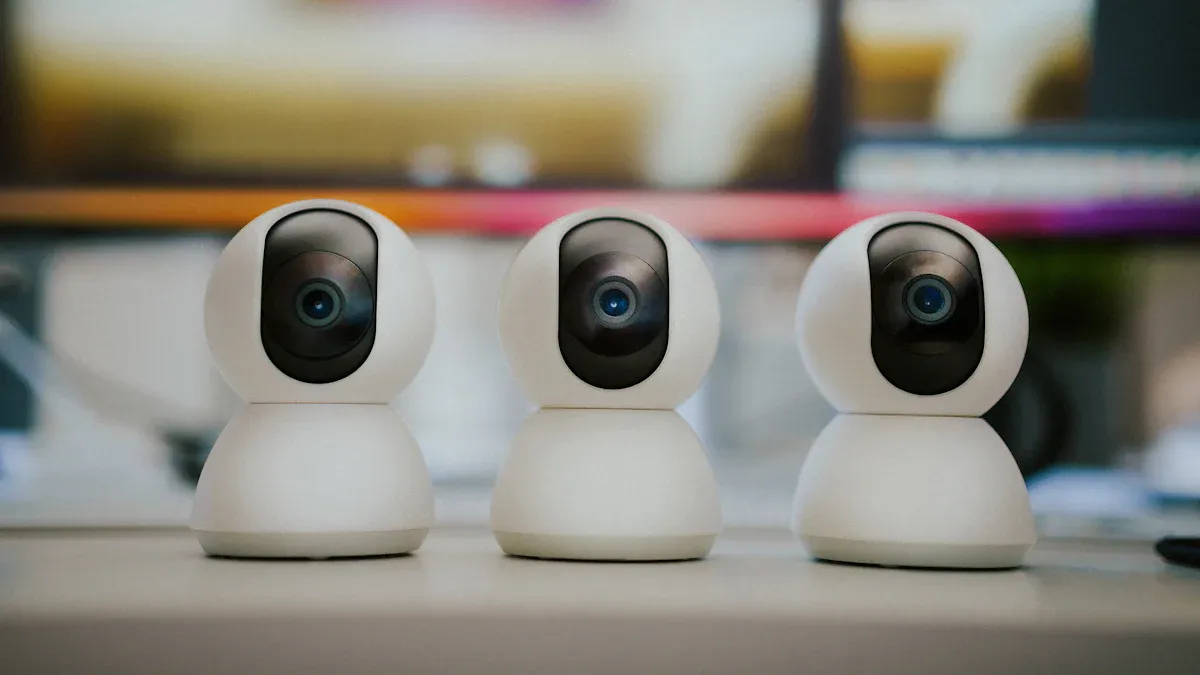
Smart technology can make your home much safer. You can use sensors, smart lights, and special plugs or locks to protect your family and your property. These devices help you spot problems early and keep intruders away. Let's look at how each one works for you.
Smoke and Heat Sensors
Smoke and heat sensors are some of the most important tools for Electrical Safety in your smart home. These devices do more than just beep when there is smoke. They send alerts straight to your phone, so you know about danger even if you are not home. Some smart smoke detectors can also connect to your home security system. This means they can warn you and the fire department at the same time.
Smart heat detectors work a little differently. They sense changes in temperature. If the heat rises too fast or gets too high, they send out a warning. This helps you catch small fires before they get big. You get fewer false alarms because these sensors only react to real danger.
Benefits of smart smoke and heat sensors:
Early warnings for fires, even when you are away
Alerts sent to your phone and emergency services
Fewer false alarms from cooking or steam
Quick action helps stop fires from spreading
Tip: Place smoke and heat sensors in every room where you use smart devices or appliances. This gives you the best protection.
Motion-Sensor Lighting
Motion-sensor lighting is a simple way to make your home safer. These lights turn on when they sense movement. You do not have to flip a switch. This helps you see better at night and scares off people who should not be near your house.
You can use motion-sensor lights inside and outside. Put them in hallways, near stairs, or by your front door. Outside, they light up your yard or driveway when someone walks by. This makes it harder for intruders to hide.
How motion-sensor lighting helps:
Stops you from tripping in the dark
Deters burglars by lighting up when someone approaches
Saves energy because lights only turn on when needed
Makes it easy to move around your home at night
You can connect these lights to your smart home system. This lets you control them from your phone or set them to work with other devices, like cameras or alarms.
Smart Plugs and Locks
Smart plugs and locks do more than just make life easier. They play a big part in keeping your home safe from electrical hazards. Smart plugs let you turn devices on or off from anywhere. You can check if you left something on and switch it off with your phone. This helps prevent overheating and cuts down on fire risks.
Plug locks keep your connections secure. They stop plugs from coming loose, which can cause sparks or outages. This is very helpful if you have kids or pets who might bump into cords. In places where you need lights to stay on, like hallways or emergency exits, plug locks make sure the power does not get cut by accident.
Ways smart plugs and locks improve safety:
Prevent accidental unplugging and keep power steady
Lower the risk of electrical hazards from loose plugs
Help you control devices remotely for better safety
Keep emergency lighting working when you need it most
Note: Try setting up your smart plugs to turn off devices automatically when you leave home. This adds another layer of protection.
Integrating Smart Devices for Full Protection
When you connect these smart devices together, you get even more safety. For example, your smoke sensor can turn on all the lights if it detects danger. Your smart lock can unlock the door for firefighters. You can watch your home from anywhere and get alerts right away if something goes wrong.
Ideas for integration:
Link smoke sensors to lights and alarms for faster escape
Set motion lights to trigger cameras or send alerts
Use smart plugs to shut off risky devices when smoke is detected
Smart technology gives you control and peace of mind. You can spot problems early, act fast, and keep your home safe from both electrical hazards and unwanted visitors.
Maintenance and Inspections
Device Checks
You want your smart home devices to work safely every day. Regular checks help you catch problems before they get worse. Most experts say you should schedule an electrical inspection every few years. Take a look at this table to see what the pros recommend:
|
Source |
Recommendation |
|---|---|
|
Reynoldsep |
Schedule an electrical inspection every 3 to 5 years, sooner for older wiring. |
|
CallW3 |
Routine inspection by a licensed electrician every 2 to 5 years, more often for older homes. |
|
TradeMasters |
Inspect your home's electrical system at least once every three to five years, more often for older homes. |
If your home is older or you've added new devices, you might need checks more often. You can also do quick monthly checks yourself. Look for loose plugs, frayed cords, or devices that feel hot. If you spot anything strange, unplug the device and ask an expert.
Tip: Set a reminder on your phone to check your smart plugs and sensors every month. This habit keeps your home safe and your devices running smoothly.
Wiring Inspections
Wiring is the backbone of your smart home. You need to make sure it stays in good shape. Most homes do well with a full inspection every three to five years. If your house is older or you use lots of gadgets, think about yearly checks. Here's what experts suggest:
Periodic inspections every 3 to 5 years.
Annual inspections for older homes or heavy electrical use.
Schedule a full inspection every 3 to 5 years for most homes.
Consider yearly checks for homes with older wiring or lots of smart devices.
During an inspection, an electrician looks for worn wires, loose connections, and signs of overheating. You can help by watching for flickering lights or outlets that feel warm.
Cleaning and Updates
Keeping your smart devices clean helps them last longer and work better. You don't need fancy tools-just a few simple steps:
Always turn off and unplug devices before cleaning.
Use a microfiber cloth to wipe screens and surfaces.
Avoid harsh cleaning products; gentle cleaners work best.
Dust smart devices regularly to keep vents clear.
Clean touchscreens and camera lenses with a damp microfiber cloth.
Vacuum around smart speakers to lift dust.
Make sure sensors and cameras stay unblocked.
Wipe down smart appliances, but don't let water get inside.
Use screen protectors to cut down on fingerprints.
Follow the manufacturer's cleaning instructions.
Keeping your devices clean and updated helps prevent electrical hazards and keeps your smart home running like new. 😊
Network Security
You need to protect your network to keep your smart home safe. Hackers can find weak spots in your Wi-Fi or devices. They can cause problems, even electrical hazards. Here are ways to make your smart home network safer.
Passwords and Encryption
Strong passwords and encryption help keep hackers out. You should make it hard for anyone to get into your system.
Change the default passwords on your router and smart devices. Use uppercase and lowercase letters, numbers, and symbols in your passwords.
Give each device its own password. Do not use the same password more than once.
Turn on WPA2 or WPA3 encryption for your Wi-Fi. This keeps your data private.
Choose smart home brands that care about security. Trusted brands usually have better protection.
Tip: A strong password works like a tough lock on your door. It keeps out people who should not get in and helps keep your home safe.
Firmware Updates
Updates are important for your smart devices. They fix problems and close security gaps that hackers might use.
Check for updates on your smart devices and router every month.
Turn on automatic updates if you can. This way, you always get the newest fixes.
Updates can also help your devices work better and stay safe.
Keeping your devices updated lowers the chance of someone breaking in or causing trouble.
Preventing Remote Tampering
You want to stop people from messing with your smart home from far away. There are smart ways to do this.
To stop remote tampering, use balanced power circuits and electromagnetic shielding to hide your devices' signals. Noise generators can cover up signals. Epoxy encapsulation protects the inside parts. Active mesh layers can spot a break-in and set off alarms. Tamper-evident screws and holographic seals show if someone tried to open a device. Electronic tamper detection systems can erase sensitive data if tampering happens.
These steps make it much harder for anyone to mess with your smart home. You can feel safe, knowing your network and devices are protected.
Professional Help
When to Call an Expert
Sometimes you need help from a professional. You may see problems you cannot fix alone. Watch for these signs that mean you should call an expert:
Circuit breakers trip a lot
Lights flicker for no clear reason
You smell burning near outlets
Outlets do not work at all
Power turns off and on by itself
If you notice any of these, get help fast. Electricians know how to find and fix problems. They can stop things from getting worse. Acting quickly keeps your family safe.
Finding Qualified Electricians
You want an electrician who understands smart homes. Not all electricians have the right skills. Look for these things:
Licensed electricians go through lots of training. They learn in school and work with experts. This helps them know how to do electrical work safely.
Licensed electricians keep up with new rules and codes. This is important for smart home safety.
Electricians with experience in homes and businesses are a good choice for smart home jobs.
Ask questions before you hire anyone. Check reviews online or ask your neighbors for advice. A good electrician will answer your questions. They will explain what they plan to do.
What to Expect
Professional electricians do many jobs for smart homes. They do more than fix wires. Here is what they can do:
|
Service Type |
Description |
|---|---|
|
Smart Device Installation |
Experts install devices so they work right and do not get damaged. |
|
Smart Switch Installation |
They replace old switches with smart ones for easy control and saving energy. |
|
Thermostat Integration |
They put in smart thermostats for better temperature control and saving energy. |
|
Security System Setup |
They install cameras and sensors you can control with your phone. |
|
Voice Control Integration |
They set up systems like Alexa or Google Home for voice commands. |
|
Entertainment Setup |
They set up TVs and hide wires for a neat look. |
|
Smart Appliances Connection |
They connect smart appliances so you can control them from anywhere. |
|
Energy Efficiency Monitoring |
They add systems to watch and manage energy use. |
|
Security Integration |
They connect security devices to automation for alerts about strange activity. |
|
Personalization |
They make systems fit your needs and daily routines. |
|
Accessibility |
They set up easy-to-use systems, like voice controls for people with disabilities. |
Letting a professional do these jobs gives you peace of mind. You know your smart home is safe and works well. If you ever feel unsure, ask an expert for help. Your safety is always most important.
You can keep your smart home safe by doing a few simple things. First, check your wiring and devices often. Do not plug too many things into one outlet. Put in GFCI and AFCI outlets for extra safety. Surge protectors help keep your electronics safe from power spikes. Always ask a trained expert to help with upgrades.
Doing regular checks helps you find problems early. This keeps your system working well. Try these upgrades to make your home safer:
|
Upgrade Type |
Description |
|---|---|
|
GFCI Outlets |
Stop shocks in places with water. |
|
AFCI Outlets |
Lower the chance of fires from arc faults. |
|
Surge Protection |
Protect your electronics from sudden power surges. |
|
Tamper-Resistant Receptacles |
Keep kids safe from electrical shocks. |
Keep watching for problems and check your setup often. Make changes when you need to. Your smart home's safety depends on you! 😊
FAQ
What should I do if my smart device feels hot?
If your device feels hot, unplug it right away. Let it cool down. Check for dust or blocked vents. If it still gets hot, replace it or call an expert. Safety comes first!
How often should I update my smart home devices?
You should check for updates every month. Turn on automatic updates if possible. Updates fix bugs and keep your devices safe from hackers.
Can I install smart plugs and sensors myself?
Yes, you can install most smart plugs and sensors yourself. Just follow the instructions in the box. If you feel unsure, ask a professional for help.
Why do I need grounded outlets for my smart home?
Grounded outlets protect you from shocks and fires. They send extra electricity safely into the ground. Always use grounded outlets for your smart devices.
What is the best way to keep kids safe around outlets?
Use tamper-resistant outlets and outlet covers. Teach your kids not to touch plugs or cords. Keep cords out of reach. Safety starts with good habits!
See also
What Is the Full Name of OLR in Electrical Engineering?
What Is the Full Name of PLC in Electrical Systems
What are electromechanical relays and why are they called EMR